
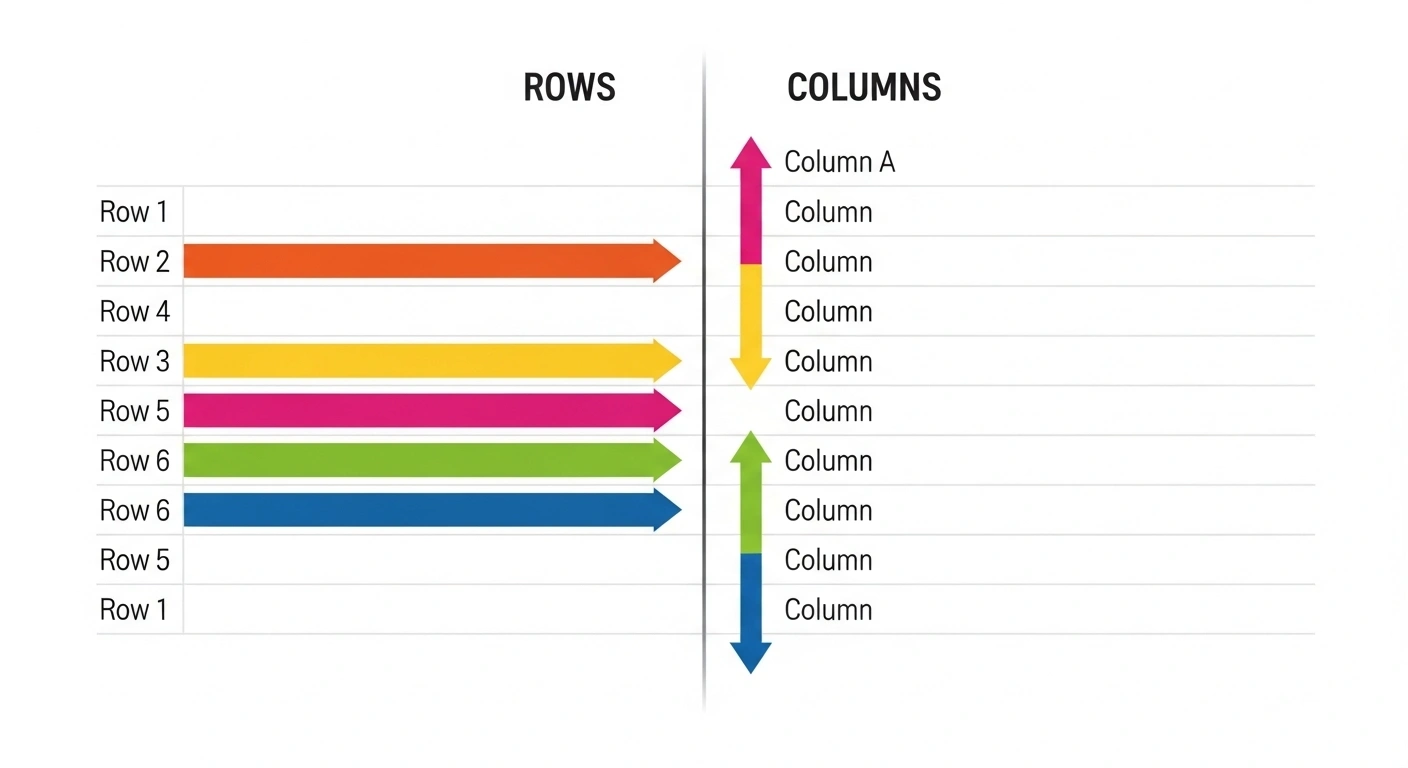
Difference between row and column and difference between row and column is a fundamental concept in data organization, mathematics, and spreadsheets. Whether you are working with tables, databases, or tools like spreadsheets, understanding how rows and columns function is essential for managing and interpreting information accurately.
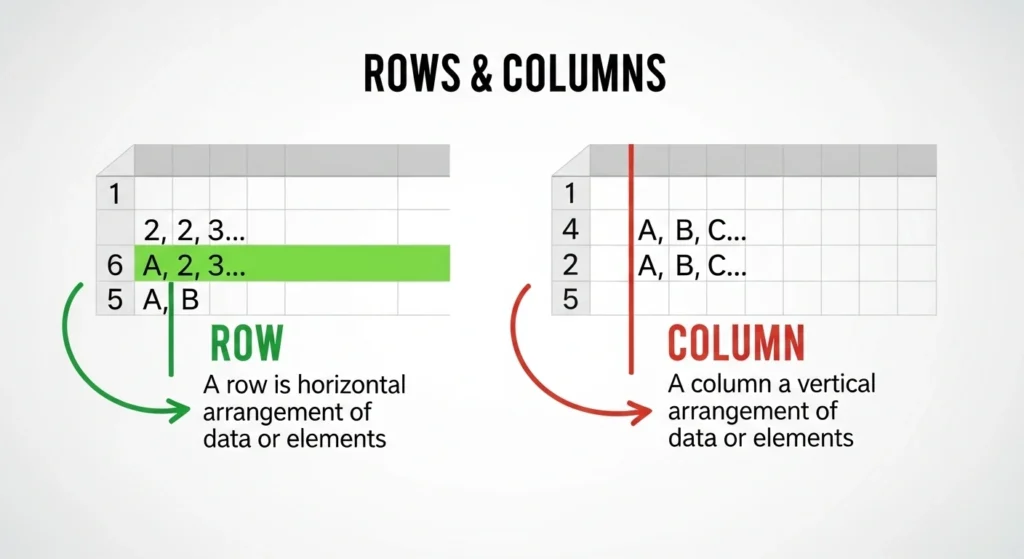
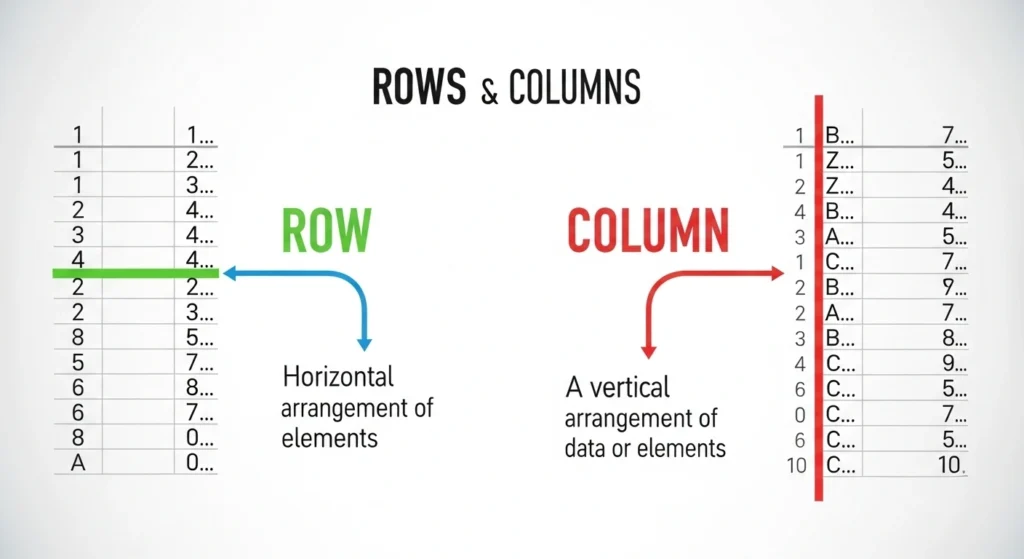
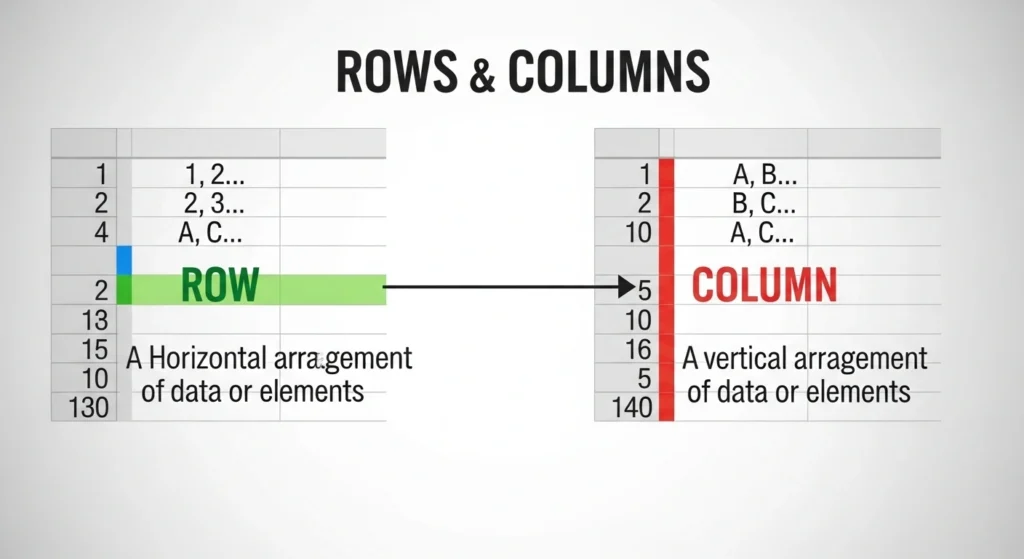
To elaborate, the difference between row and column lies in their direction and arrangement. Rows run horizontally from left to right, while columns extend vertically from top to bottom. Moreover, recognizing the difference between row and column helps users read data efficiently, organize information clearly, and perform tasks such as sorting, filtering, and analysis with ease. Therefore, mastering this simple yet important distinction is crucial for both beginners and professionals.
Horizontal or vertical? This seemingly simple choice determines how billions of data points are stored, accessed, analyzed, and understood across every spreadsheet, database, and algorithm on Earth.
In the architecture of information, no distinction is more foundational yet more frequently misunderstood than the difference between row and column. These two perpendicular orientations form the Cartesian grid upon which modern data civilization is built—from the Excel spreadsheet tracking your household budget to the massive data warehouses powering artificial intelligence, from the matrix calculations behind your GPS navigation to the database queries serving your social media feed.
Further Reading
Yet confusion persists. Professionals with years of experience still hesitate when identifying which direction is which. Students memorize “rows go across, columns go up and down” without understanding why this matters beyond elementary school arithmetic. Data scientists make billion-dollar decisions based on whether information is stored by row or by column, often without grasping the performance implications of that choice.
This comprehensive guide transforms that confusion into clarity. By understanding the difference between row and column across contexts—from visual spreadsheets to physical database storage, from mathematical matrices to computational memory layouts—you’ll grasp how this fundamental geometric distinction shapes the speed, efficiency, and capability of our entire digital infrastructure.
The Visual Foundation: What You See on Screen
At the most basic level, the distinction is geometric and visual:
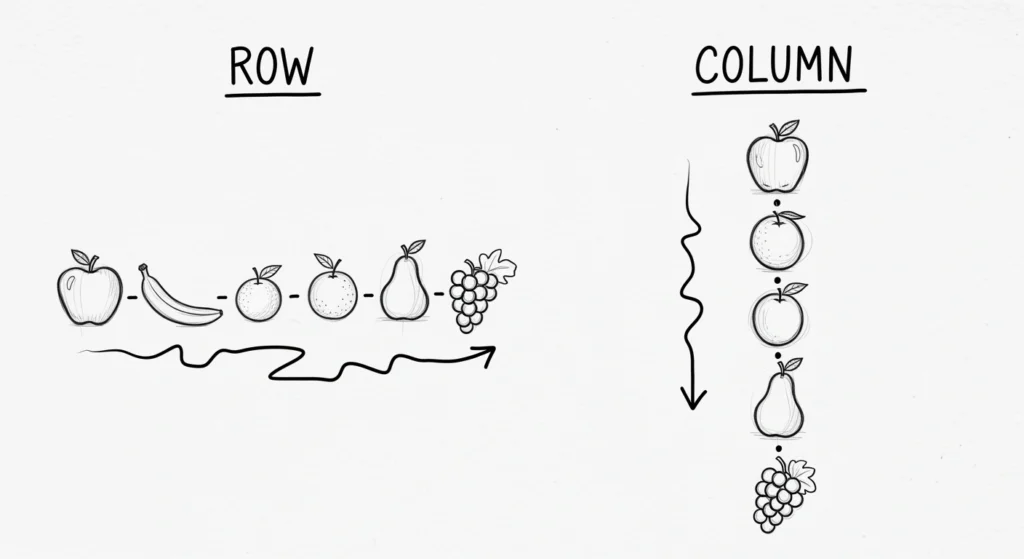
Rows are horizontal. They run left to right, parallel to the horizon, like seats in a theater or crops in a field .
Columns are vertical. They run top to bottom, perpendicular to the horizon, like architectural pillars or newspaper layouts .
In a spreadsheet or data table, this creates a grid where:
- Each row represents a single record—one complete observation, entity, or instance
- Each column represents an attribute—one characteristic, variable, or field describing those records
The Memory Trick That Actually Works


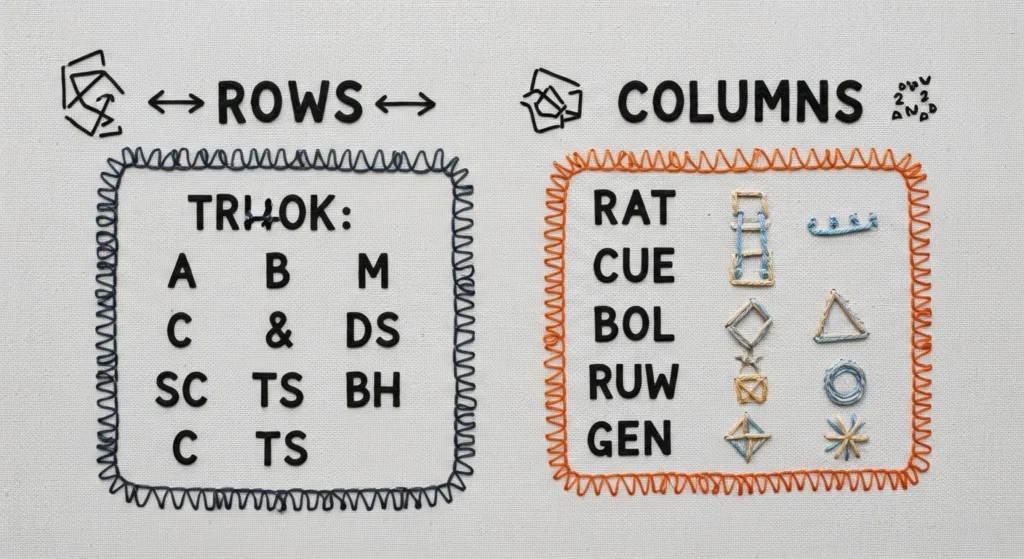
Forget “right vs. down”—think stories vs. questions:
Rows tell stories. Each row is a complete narrative: “John Smith, age 34, purchased a laptop on March 15th for $1,200.” The row is the unit of meaning, the who or what you’re tracking .
Columns ask questions. Each column represents an inquiry: Who? (Name), How old? (Age), What? (Product), When? (Date), How much? (Price). Columns provide the analytical lenses through which we examine the stories .
This framing transforms abstract geometry into intuitive meaning. When you need the complete story, you read across a row. When you need to answer a specific question across all stories, you read down a column.
The Data Architecture: Records vs. Attributes
The difference between row and column extends far beyond visual layout into fundamental data architecture:
| Dimension | Rows | Columns | Strategic Implication |
|---|---|---|---|
| Represents | Individual records, observations, entities | Attributes, variables, fields, characteristics | Rows = who/what; Columns = descriptive details |
| Contains | Complete data for one item | One type of data for all items | Rows are self-contained; Columns are distributed |
| Analogous to | Records in a database, observations in statistics, entries in a list | Fields in a database, variables in statistics, headers in a table | Different terminology, same fundamental structure |
| Identified by | Index numbers (1, 2, 3…) or unique IDs | Names/labels (Name, Age, Date) or letters (A, B, C…) | Rows are positional; Columns are semantic |
| Data types | Mixed (each row contains various data types) | Uniform (each column contains one data type) | Columns enforce structure; Rows contain complexity |
Real-World Example: Customer Database

Consider an e-commerce customer table:
| CustomerID | FirstName | LastName | PurchaseDate | TotalSpent | |
|---|---|---|---|---|---|
| 1001 | Sarah | Johnson | sarah@email.com | 2024-03-15 | $1,250.00 |
| 1002 | Marcus | Chen | marcus@email.com | 2024-03-16 | $890.50 |
| 1003 | Elena | Rodriguez | elena@email.com | 2024-03-17 | $2,100.75 |
Rows (horizontal): Each row is a complete customer story. Row 2 tells us everything about Marcus Chen—his identity, contact information, and purchase history. If you need to understand one customer completely, you traverse the row .
Columns (vertical): Each column is an attribute across all customers. The Email column contains all customer email addresses; the TotalSpent column contains all purchase values. If you need to analyze spending patterns across your customer base, you traverse the column .
Mathematical Matrices: Row Vectors vs. Column Vectors
In linear algebra, the difference between row and column becomes mathematically consequential:
Row Matrix (Row Vector): A 1 × n matrix—one row containing multiple elements
[4 7 2 9]Column Matrix (Column Vector): An n × 1 matrix—one column containing multiple elements
[4]
[7]
[2]
[9]
Why This Matters: Matrix Multiplication
Matrix operations depend critically on orientation. When multiplying matrices, you calculate the dot product of row vectors from the first matrix with column vectors from the second matrix . This means one matrix always has the “right” orientation while the other has the “wrong” one—fundamentally affecting computational efficiency based on how matrices are stored in memory .
The order of multiplication also depends on convention:
- Row-major systems: Write transformations as P × M (point multiplied by matrix), with operations reading left-to-right as they’re verbally described
- Column-major systems: Write transformations as M × P, with operations in reverse order
Neither is objectively superior—MATLAB, Fortran, Julia, and R prefer column-major; C, C++, Java, and NumPy default to row-major . The choice affects algorithm design, cache performance, and code readability across different computational domains.
Database Storage: The Physical Reality
Here’s where the difference between row and column becomes a multi-billion-dollar engineering decision affecting global technology infrastructure.
Row-Oriented Storage (OLTP Systems)
In row-oriented databases (MySQL, PostgreSQL, traditional relational databases), data is stored physically row by row on disk . All attributes of a single record are stored contiguously in the same physical block.
Storage Layout:
Record 1: ID=1|Name=John|Age=35|Dept=IT
Record 2: ID=2|Name=Jane|Age=28|Dept=HR
Record 3: ID=3|Name=Bob|Age=42|Dept=Finance
Optimized for: Online Transaction Processing (OLTP)—frequent inserts, updates, deletes, and retrieval of complete records .
Advantages:
- Fast row retrieval: Fetch one record with a single disk I/O operation
- Efficient transactions: ACID properties (Atomicity, Consistency, Isolation, Durability) are straightforward to implement
- Intuitive structure: Matches how humans conceptualize complete entities
Disadvantages:
- Inefficient analytics: Queries needing only specific columns must read entire rows and discard unwanted data
- Storage overhead: Less compression opportunity due to mixed data types in proximity
Column-Oriented Storage (OLAP Systems)
In column-oriented databases (Amazon Redshift, Google BigQuery, Cassandra, HBase), data is stored physically column by column on disk . All values of a single attribute across all records are stored contiguously.
Storage Layout:
ID Column: 1, 2, 3
Name Column: John, Jane, Bob
Age Column: 35, 28, 42
Dept Column: IT, HR, Finance
Optimized for: Online Analytical Processing (OLAP)—complex queries aggregating data across specific attributes .
Advantages:
- Analytical speed: Queries accessing specific columns read only relevant data
- Compression efficiency: Similar data types stored together compress dramatically better
- Aggregation performance: SUM, AVG, COUNT operations on columns are extremely fast
Disadvantages:
- Transactional weakness: Inserting or deleting single rows requires updating multiple separate column stores
- Row retrieval complexity: Reconstructing complete records requires joining data from multiple column locations
The Performance Gap: Real Numbers
Benchmarks reveal dramatic performance differences based on storage orientation:
Column-oriented analytics: 6x to 21x faster than row-oriented for column-aggregation queries . When calculating averages across 1,000 random columns in a 10,000×10,000 matrix, column-major storage completed in 7.4ms vs. 47.4ms for row-major in NumPy—a 6.4x speedup .
Row-oriented transactions: Inserting single rows is significantly faster and more straightforward in row-oriented systems .
Hybrid approaches: Modern HTAP (Hybrid Transactional/Analytical Processing) systems like TiDB combine both storage models—row storage for transactions, column storage for analytics—enabling real-time analysis on transactional data without ETL delays .
Programming and Memory: Row-Major vs. Column-Major
At the hardware level, the difference between row and column affects how matrices are laid out in memory, with profound performance implications.
Row-Major Order (C, C++, Java, NumPy default)
Elements of a row are stored in contiguous memory locations . Traversing a row is cache-efficient; traversing a column requires “striding” across memory with gaps.
Memory Layout for 3×3 Matrix:
Row 0: [0,0] [0,1] [0,2] | Row 1: [1,0] [1,1] [1,2] | Row 2: [2,0] [2,1] [2,2]Best for: Algorithms that frequently access elements row-by-row .
Column-Major Order (MATLAB, Fortran, Julia, R, Pandas)
Elements of a column are stored in contiguous memory locations . Traversing a column is cache-efficient; traversing a row requires striding.
Memory Layout for 3×3 Matrix:
Col 0: [0,0] [1,0] [2,0] | Col 1: [0,1] [1,1] [2,1] | Col 2: [0,2] [1,2] [2,2]Best for: Algorithms that frequently access elements column-by-column, common in statistical computing and data science .
The SIMD Advantage
Modern CPUs use SIMD (Single Instruction, Multiple Data) instructions to process multiple data points simultaneously. Column-major storage enables more efficient SIMD utilization for column-reduction operations because data is contiguous rather than strided . This explains why column-oriented databases and analytical engines achieve such dramatic performance advantages for aggregation workloads.
Practical Applications: Choosing Your Orientation
Understanding the difference between row and column enables strategic decision-making across domains:
When to Think in Rows
- Transaction processing: Banking systems, inventory management, order processing—any system requiring frequent inserts, updates, and retrieval of complete records
- Entity-centric applications: CRM systems where you typically view one complete customer profile at a time
- Object-oriented programming: When data represents discrete objects with multiple attributes
- Spreadsheet data entry: Humans naturally think in complete records (rows) when populating data
When to Think in Columns
- Analytics and BI: Business intelligence queries that aggregate specific metrics across populations
- Data warehousing: Large-scale historical analysis where column compression reduces storage costs and accelerates queries
- Statistical computing: R, MATLAB, and data science workflows that operate on variables (columns) across observations
- Columnar databases: When query patterns are predictable and analytical rather than transactional
The Spreadsheet Reality Check
Despite 88% of spreadsheets containing errors , they remain ubiquitous. In Excel and Google Sheets:
- Row limit: ~1 million (Excel), 10 million cells (Google Sheets)
- Column limit: ~16,000 (Excel), 18,278 (Google Sheets)
- Practical limit: Human cognition—wide tables (many columns) become unreadable; long tables (many rows) require scrolling but remain scannable
The 2012 London Olympics ticket overbooking disaster—10,000 tickets oversold due to a spreadsheet row miscount—demonstrates why understanding row/column structure isn’t academic, but operational .
For more difference beteween….
Advanced Distinctions: Beyond the Basics
Relational Database Terminology
In SQL and relational theory, the same concepts carry different names :
- Rows = Records or Tuples (the complete data instances)
- Columns = Fields or Attributes (the descriptive characteristics)
Understanding this terminology prevents confusion when moving between spreadsheets and database systems.
Statistical Terminology
In R, Python pandas, and statistical software :
- Rows = Observations (the measured instances)
- Columns = Variables (the measured characteristics)
This framing emphasizes the analytical purpose: rows are what you observe; columns are what you measure about those observations.
NoSQL and Flexible Schema
In document databases (MongoDB) and wide-column stores (Cassandra, HBase), the row/column distinction blurs:
- Rows remain the top-level entities (documents, keys)
- Columns can be dynamic—different rows may have different columns
- Column families group related columns for storage efficiency
This flexibility trades the rigid structure of relational databases for scalability and schema evolution .
The Decision Matrix: Row vs. Column Strategy
| Scenario | Recommended Orientation | Rationale |
|---|---|---|
| Banking transactions | Row-oriented | ACID compliance, fast single-record retrieval |
| Data warehouse analytics | Column-oriented | Compression, fast aggregation, column-specific queries |
| Real-time analytics on transactions | Hybrid (HTAP) | Simultaneous OLTP and OLAP without ETL |
| Statistical computing (R/MATLAB) | Column-major memory layout | Natural alignment with column-vector operations |
| Game development/graphics (C++) | Row-major memory layout | Alignment with graphics hardware expectations |
| Spreadsheet data entry | Row-oriented thinking | Human-friendly complete-record view |
| Machine learning feature engineering | Column-oriented processing | Vectorized operations on features (columns) |
Conclusion: The Geometry of Information
The difference between row and column is simultaneously elementary and profound. At the surface, it’s a simple geometric distinction—horizontal versus vertical. Beneath that surface, it shapes how we store billions of data points, how algorithms process information, how databases serve queries in milliseconds, and how we make sense of complex phenomena.
Rows give us narrative completeness—the full story of each entity we track. Columns give us analytical clarity—the ability to compare, aggregate, and understand patterns across populations. The wisdom lies in knowing which orientation serves your current purpose, and recognizing that modern systems increasingly hybridize these approaches to serve both transactional immediacy and analytical depth. Conclusion
The difference between row and column is based on their orientation and role in structuring data. Rows represent horizontal groupings, whereas columns define vertical divisions within a table or dataset.
Furthermore, understanding the difference between row and column improves accuracy and efficiency when working with data in spreadsheets, databases, and analytical tools. Ultimately, this basic knowledge forms the foundation for better data handling and clearer information presentation.
Master this distinction, and you master the foundational grammar of data itself.
Your move: Audit your current projects. Are you storing and accessing data in the orientation that serves your actual query patterns? If you’re running analytics on row-oriented storage, or transactions on column-oriented systems, you may be sacrificing significant performance. The row/column choice isn’t just academic—it’s architectural destiny.

The author is a Ph.D scholar and has keen interest in what is happening around the world. I love to write, travel and observe. Constant zeal for new ideas is a trigger for me. Love, respect and live peacefully